Why Keyframe doesn’t copy After Effects everywhere
We kept the best of After Effects and changed course only where its history holds it back.
What we kept
Compositions, layers, keyframes, expressions and effects work the way they do in After Effects.
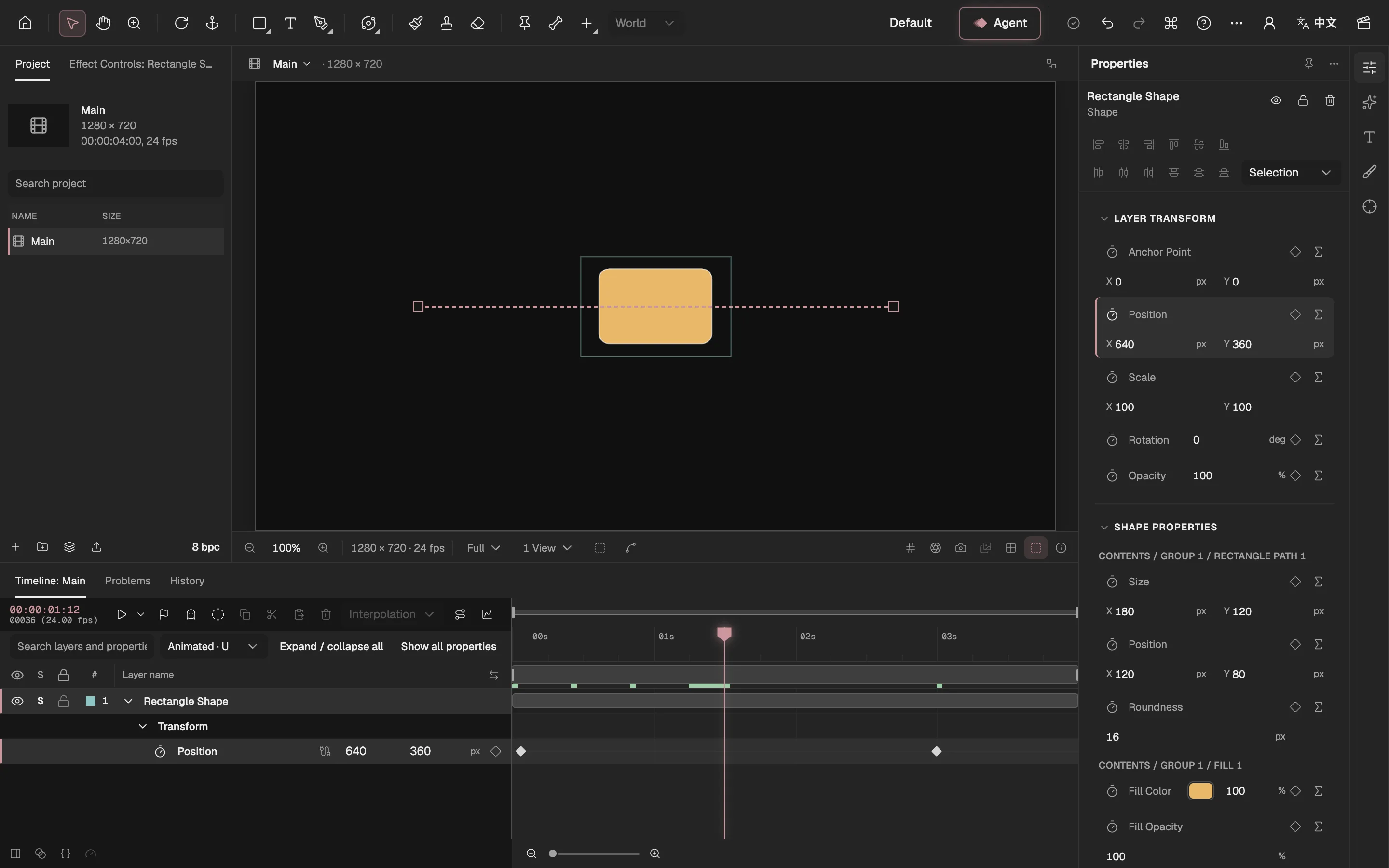
- Tools, as in After Effects’ toolbar.
- The Project panel.
- The Composition viewer.
- The Timeline, with keyframes.
- Properties and effect controls.
- The Agent.
- Export and the Render Queue.
Keyframe’s core follows After Effects’ classic model: nested compositions, parented layers, eased keyframes, a graph editor and After Effects–style expressions. If you know After Effects, you know the panels and the shortcuts.
Every difference below is built on that shared ground.
Where After Effects’ limits come from
Three causes: an early model that can only grow on top, a closed core with a few ways in, and a division of work across Adobe’s apps.
- An early modelA property’s value comes from keyframes or an expression; later features were added on top, and 3D went through several renderers.
- A closed coreOutside developers get in through expressions, scripts and C++ plug-ins, each with its limits.
- A division of workAfter Effects composites: layers are split in Photoshop, editing goes to Premiere.
After Effects’ core (closed)
- ExpressionsRun every frame, but one sets one property and remembers nothing between frames
- ScriptsChange the project, but only at the moment they run
- Effect plug-insDraw their own layer’s pixels; they can’t change the project while rendering
- Photoshop: split layers
- After Effects: composite
- Premiere: edit
An early model. In After Effects a property’s value comes from keyframes or from an expression. Later features could only be added on top: 3D went from Classic 3D to a Ray-traced renderer that was later retired, a Cinema 4D renderer in 2016, and only in 2023 the Advanced 3D renderer that is now the default.
A closed core. Outside developers can’t change After Effects’ core; they use the ways in Adobe offers: expressions, ExtendScript scripts and C++ plug-ins. Apart from fixed-purpose links such as parenting and track mattes, expressions are the only general way to tie one property to another every frame.
A division of work. In Adobe’s suite After Effects composites: a picture is split into layers by hand in Photoshop or Illustrator first, then imported. That makes sense inside the suite; animating on its own, it means going back and forth.
None of this is a mistake. After Effects’ stability and its huge plug-in ecosystem come from that history; choices made long ago are simply hard to change today.
Where a property’s value comes from
After Effects has keyframes and expressions; Keyframe also makes skeletons, behaviors and programs typed objects.
After Effects
- Keyframes
- ExpressionsBone IK, links, springs and constraints all live here
Keyframe
- Keyframes
- ExpressionsA property’s own logic
- BehaviorsOscillate, aim, IK, secondary motion, with parameters
- Skeletons and mesh skinningA layer type, solved by the editor
- Program effectsShaders, simulations and picture programs, as project data
In After Effects, bones, links and springs can only be written as expressions, one on each property, and the engine can’t see how they relate.
Keyframe keeps expressions, but a skeleton is a layer, common motion rules are behaviors with parameters, and programs are project data. Their dependencies are checked before they are written, and the Agent (opens in a new tab) sees the structure, not just text.
Where we did it differently
Each starts from one of After Effects’ limits.
 Bones without expressions: how Keyframe rigs a characterIn After Effects, scripts build bones out of shape layers and expressions; in Keyframe a skeleton is a layer type, and meshes are skinned to its bones with weights.
 From one picture to layers you can animate: why splitting lives in the editorAfter Effects needs layers split by hand in Photoshop first; Keyframe splits a picture into layers you can animate, in the editor, and keeps the original to switch back to.
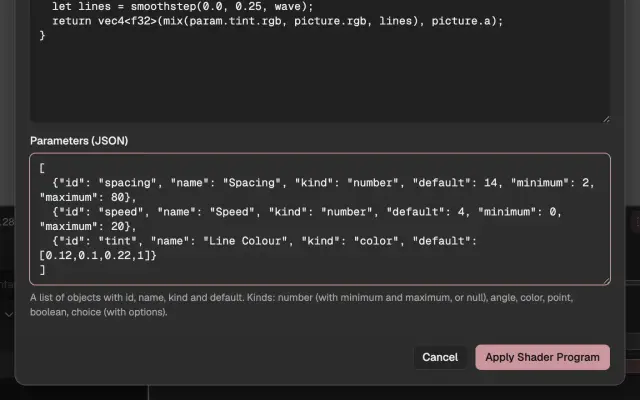 Pictures written as code: why Keyframe’s shaders are project dataSince CS6 After Effects has had no built-in way to write your own shader without a compiled plug-in; in Keyframe shaders, simulations and picture programs are project data, run in a sandbox on your graphics card.
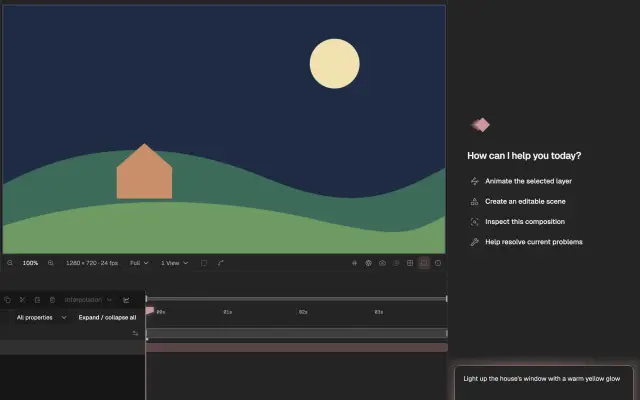 Why the Agent gives you a draft first: how AI takes part in editing in KeyframeAfter Effects’ AI Assistant edits the project directly and undoes one step at a time; Keyframe’s Agent makes a draft that you look at before applying it.
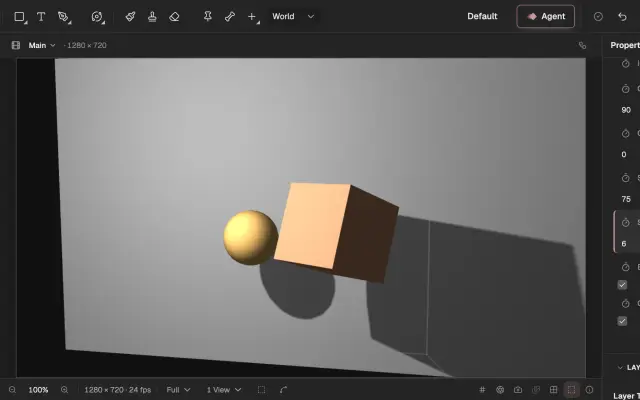 No plug-ins needed: why Keyframe builds its features into the editorParticles, tracking and keying, which After Effects users often get from third-party plug-ins, are built into Keyframe. Open a project on another computer and no effect turns into a missing placeholder.
Where After Effects is still ahead
A fuller effects library, stronger 3D rendering and its plug-in ecosystem.
After Effects has much that Keyframe lacks: far more effects, the Cinema 4D renderer, third-party plug-ins, and its place beside Premiere and Media Encoder. Those are gaps, not design choices, and we will close them one by one.