Rig a 2D character with bones, IK and meshes
Draw a skeleton over your character’s layers, pull a paw and let IK bend the leg, and skin a mesh so the body bends smoothly instead of hinging. Then animate it with keyframes and curves, the way After Effects animators work.
The fox on our homepage is a Keyframe rig
The fox that runs across our homepage was separated into parts, rigged and animated in Keyframe. The page draws it from that project’s own meshes, skin weights and bone positions. Pull its tail or a paw below: each control drives a chain of bones by IK.
Drag a bone, or click the picture and use the arrow keys to move the IK target.
Bones and chains
- A skeleton is a layer. Add one from New layer and draw bones joint to joint with the Bone tool.
- Several chains in one skeleton. Legs, arms and a tail can each start from their own root bone, with their own IK.
- Change your mind. Give a bone a new parent, or split it off into a new chain, and the pose stays where it was.
- Attach the parts. Select a bone, then click the layers that should follow it.
FK and IK
Turn bones one by one (forward kinematics), or add IK to a bone and pull its target: the chain above it bends to reach it. Keep angle keeps a foot level while the leg moves. Selecting an IK target highlights its chain, and you can drag it along one axis.
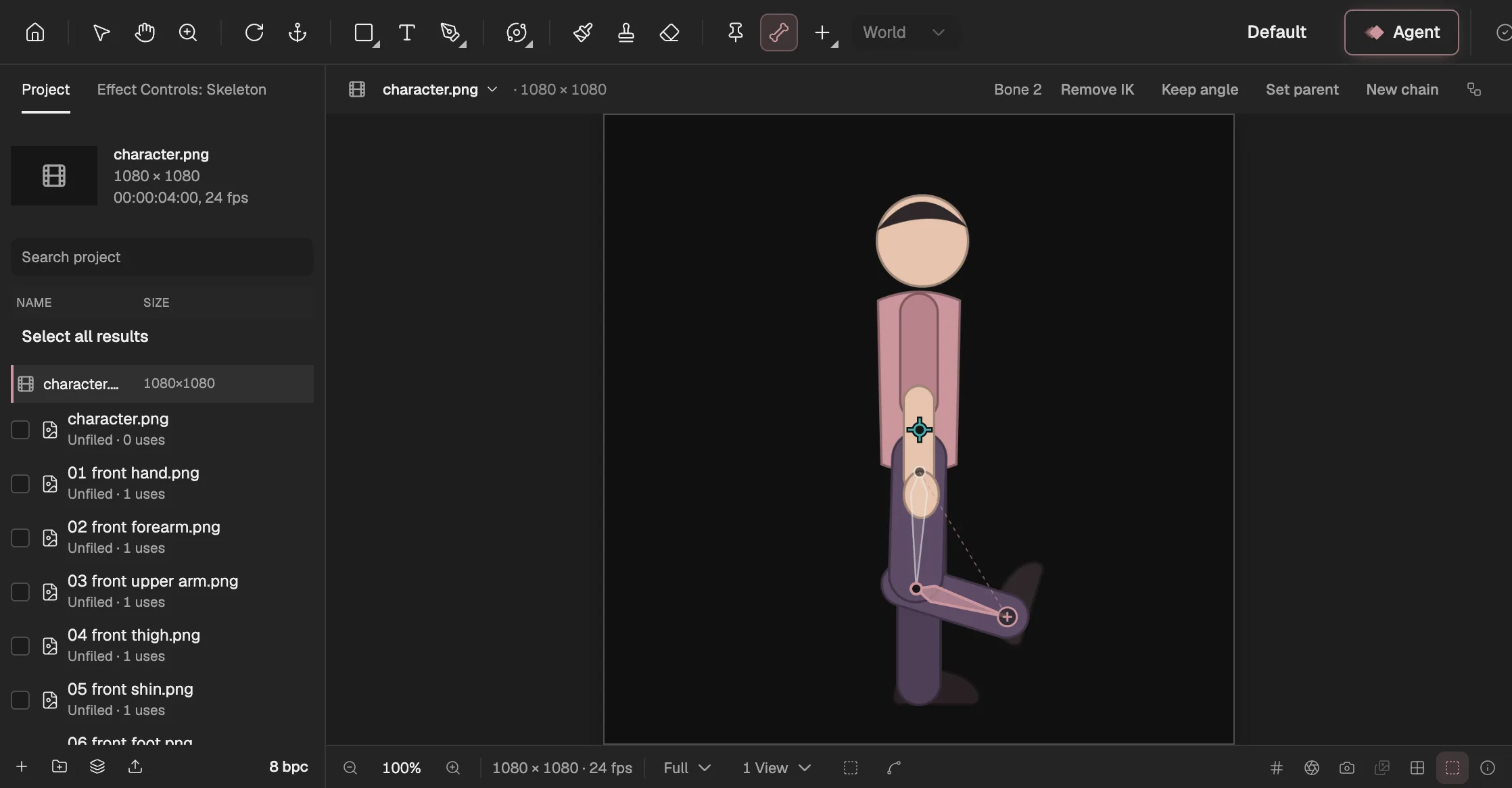
- The Bone tool draws bones joint to joint.
- The selected bone, the shin, with IK on.
- Bone options: IK and Keep angle.
- The IK target: drag it and the leg bends to follow.
Meshes and weights
Parts that hinge look stiff. A mesh lets a part bend: skin it to the bones it should follow (even from different chains), adjust free control handles, and paint weights with a brush. 3D layers can carry meshes too, bending in their own plane.
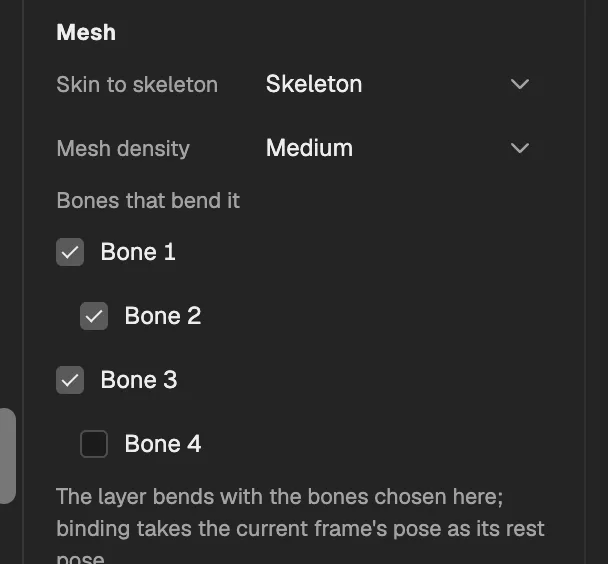
- The skeleton this mesh is skinned to.
- A chain’s root bone.
- The bones of one chain; tick the ones that move this part.
- A bone that does not move this part.
Animate the rig
- YouImport the partsOr separate one picture
- YouDraw the bones
- YouAdd IKWhere a paw or a hand should lead
- YouSkin the meshesPaint weights where it bends
- The editorKeyframe and exportEasing, curves, Expressions
Bone rotations and IK targets are ordinary properties: give them keyframes and easing (opens in a new tab), shape them in the Graph Editor (opens in a new tab), or drive them with Expressions (opens in a new tab). The Agent (opens in a new tab) works with the same tools, and you review what it proposes before it changes anything.