Let autumn travel down a painted valley
Keep the same brushwork for every frame. Change its colours in two passes, then move the change down the mountain.
What you’ll make
- A 12-second film at 30 fps. Gold descends first, red follows in patches, then the whole valley warms.
- One summer painting in layers. Separate foreground, near trees, tree groups, distant forest, mountains, clouds and sky; no autumn repaint is needed.
- Colour choices that support the effect. Keep evergreen firs darker than deciduous trees, and mountains and sky outside the forest’s green hue range.
1. Make a painting you can grade
Import the layered summer painting and check its order with Importing assets (opens in a new tab). Start from a complete, still composition.
Compare the colours of the leaves, firs, mountains and sky. If two areas share the same green, a hue curve will affect both; separate them with a mask or a matte rather than hoping the curve can distinguish them.
Set the composition to 30 fps and 360 frames. Keep the wind switched off while you build the colour change.
2. Turn green into gold
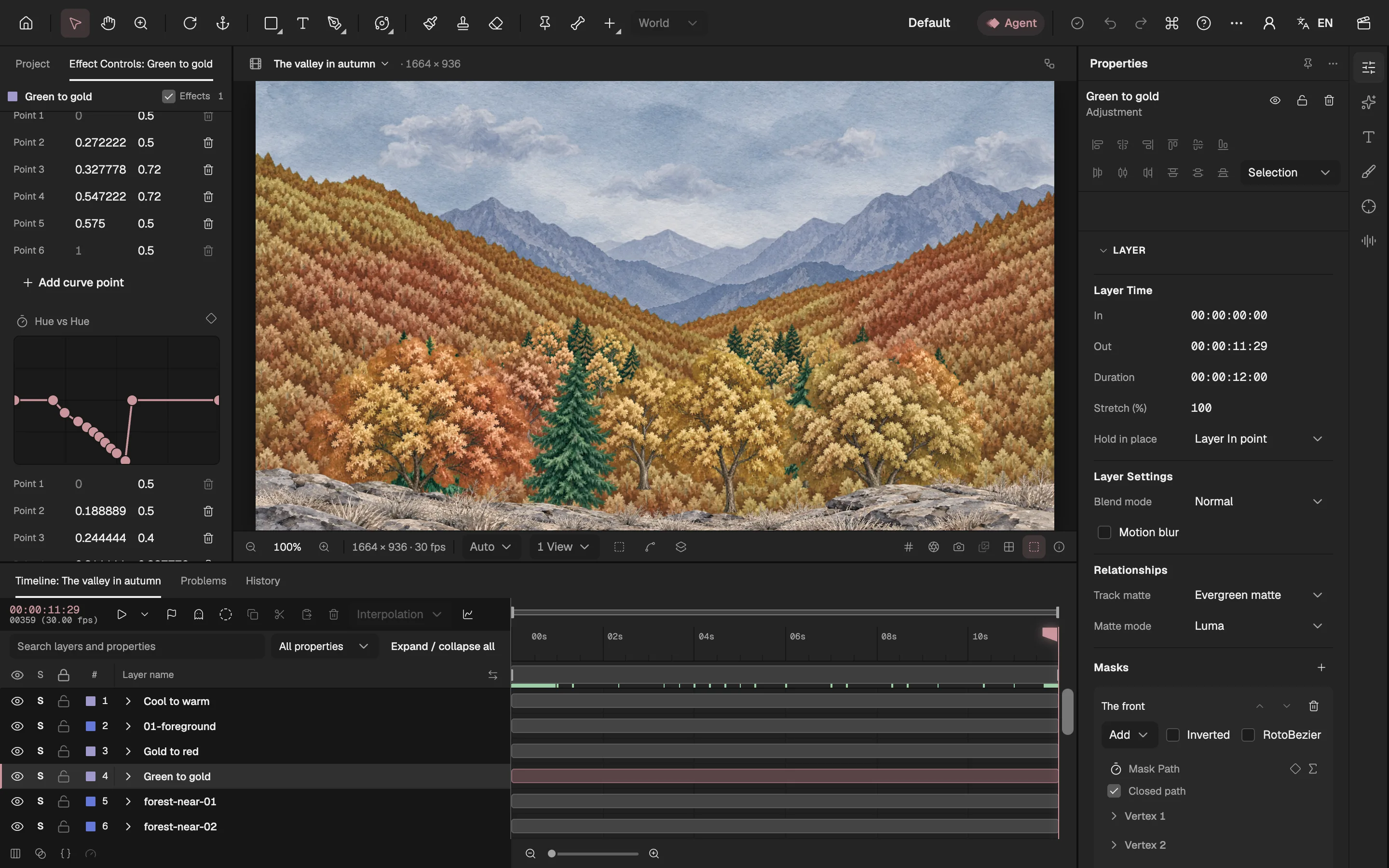
Add an adjustment layer above the forest and add Lumetri Color. In Hue vs Hue, pull the forest’s greens towards gold and orange; leave the sky’s blues unchanged. See Colour correction (opens in a new tab).
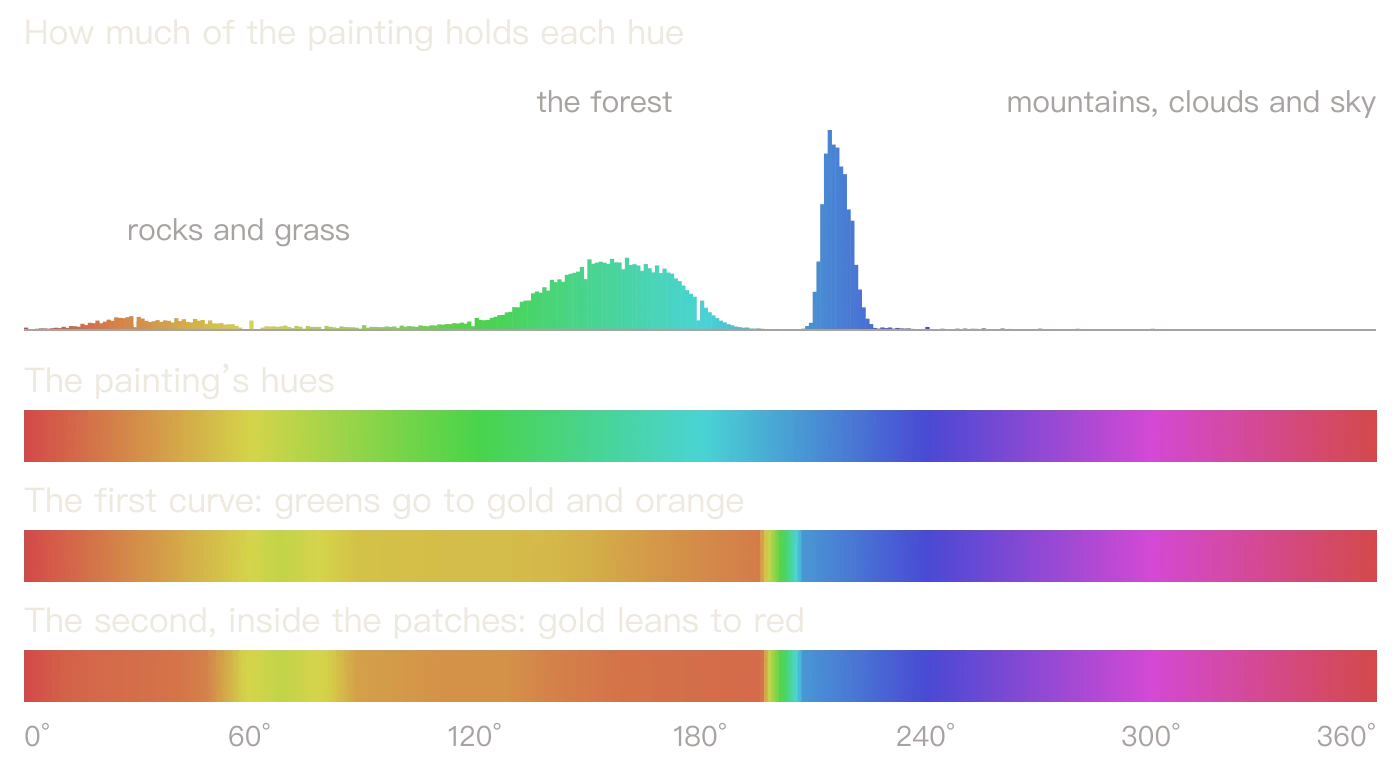
Place control points around the actual greens in your picture. Keep the curve flat outside that range. This painting’s forest is roughly 135°–180°; its mountains and sky begin around 212°.
Compare dark and light tree rows. Bring their output hues closer together if they become alternating red and yellow stripes. Lift forest saturation and luminance gently if the darkest leaves turn brown.
- The two hue curves
3. Move autumn down the ridges
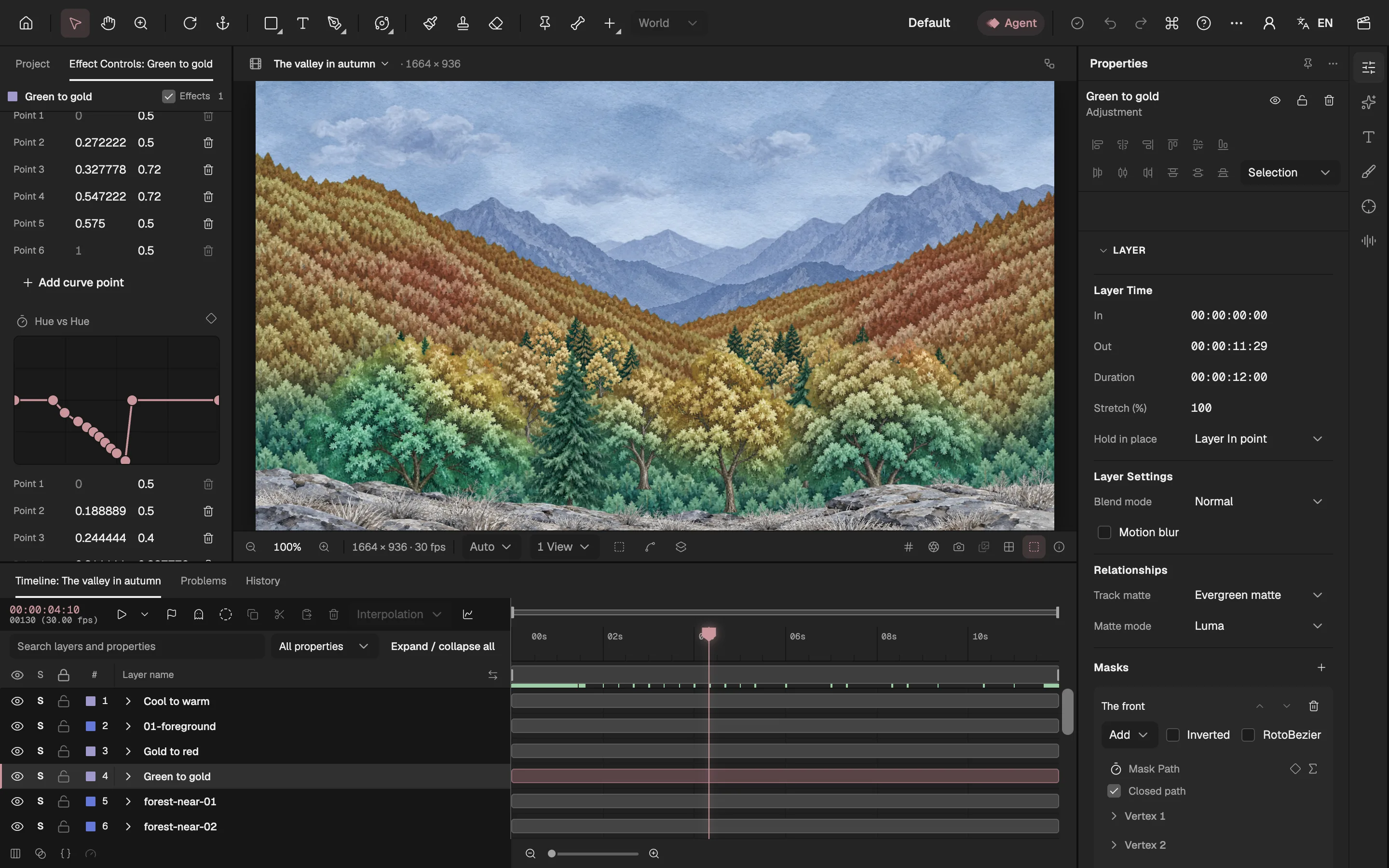
Draw a mask on the gold adjustment layer with its lower edge following the mountain ridges. Begin just above the forest, then animate that edge down past the bottom of the frame.
Feather the edge so the colour arrives gradually. This film uses a 44-pixel feather and moves the gold front over frames 6–250. See Masks (opens in a new tab) for animating mask paths.
Check the shot halfway through. The change should follow the terrain instead of reading as a straight wipe across the picture.
4. Let red follow in patches
Add a second adjustment layer above the gold pass. Its Hue vs Hue curve shifts some of the new gold towards red, leaving other hues alone.
Give it a similar moving mask, delayed by 40 frames. The gold should remain visible between the two fronts.
Use a soft, large-scale noise composition as a luminance track matte for the red pass. Make the patches larger than individual trees; this breaks up the front without making every leaf flicker. See Mattes and keying (opens in a new tab).
5. Keep the firs green
Build a matte from duplicates of the forest layers, with firs black and deciduous foliage light. For mixed tree groups, use their darker firs to control the luminance threshold.
Assign the matte to the gold adjustment layer. Keep both passes out of evergreen areas; otherwise the later red pass can colour the firs again.
When adding wind, make the matte move with the same forest layers. Scrub a gust at full size: a stationary matte leaves coloured fringes around moving trees.
6. Warm the ending, then check the film
Add a separate adjustment layer for the overall grade. This film animates Temperature from −10 at frame 200 to +16 at frame 320; keep it separate from the forest’s selective hue changes.
Add subtle wind only after the grade works: hold tree roots still, move crowns gently and keep distant slopes quieter than near trees. Watch the grade and matte together.
Export frames 0–359 through Export video or images and compare the summer, half-turned and final frames. The brushwork should stay still under the colour change; the firs and sky should keep their identities. See Export (opens in a new tab).
Keep exploring
- See why the first colour curve made stripes, and how the painting’s palette makes this grade possible. A summer valley graded to autumn
- Make another layered illustration move with a 2.5D camera push. 2.5D camera animation