Effects
Matte
Every effect Effects & Presets lists under Matte, generated from the editor’s effect registry: what it does, the layers it works on, and each parameter with its default and range.
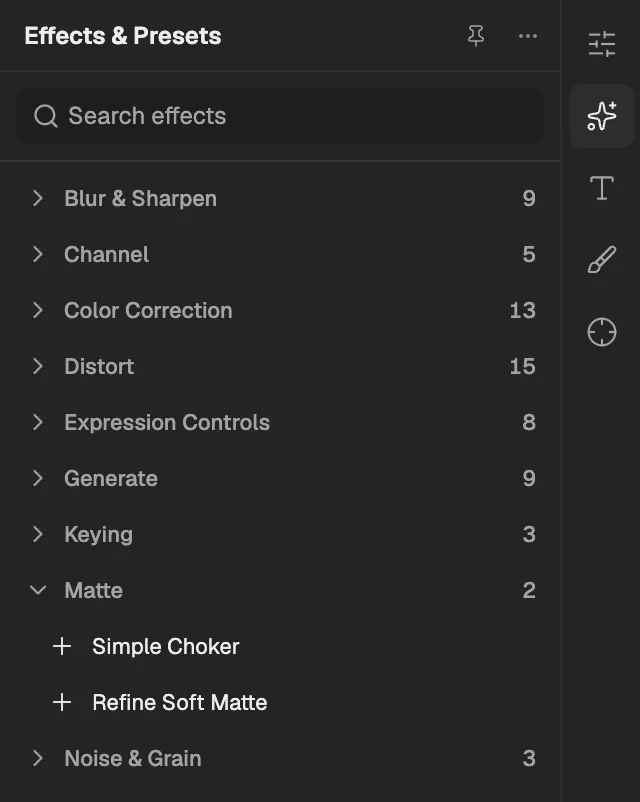
- The category, with the number of effects in it.
- Select an effect to add it to the selected layer. An effect shown greyed out reads another layer, and the composition has none it can use yet.
Simple Choker
Shrinks or grows the edge of the layer's transparency by a few pixels to tighten or loosen a matte.
- Works on
- Image, Video, Text, Shape, Solid, Composition, and Adjustment
| Parameter | Default | Range or choices |
|---|---|---|
| ViewNot keyframed | Final Output | Final Output or Matte |
| Choke Matte | 0 px | -100 px to 100 px |
Refine Soft Matte
Refines a soft transparency edge such as hair or fur, smoothing and shifting it and removing background colour from edge pixels.
- Works on
- Image, Video, Text, Shape, Solid, Composition, and Adjustment
| Parameter | Default | Range or choices |
|---|---|---|
| Additional Edge Radius | 6 px | 1 px to 100 px |
| Smooth | 10% | 0% to 100% |
| Contrast | 0% | 0% to 100% |
| Shift Edge | 0% | -100% to 100% |
| Decontaminate Edge ColorsNot keyframed | On | — |
| Decontamination Amount | 100% | 0% to 100% |
| View Edge RegionNot keyframed | Off | — |