Effects
Transition
Every effect Effects & Presets lists under Transition, generated from the editor’s effect registry: what it does, the layers it works on, and each parameter with its default and range.
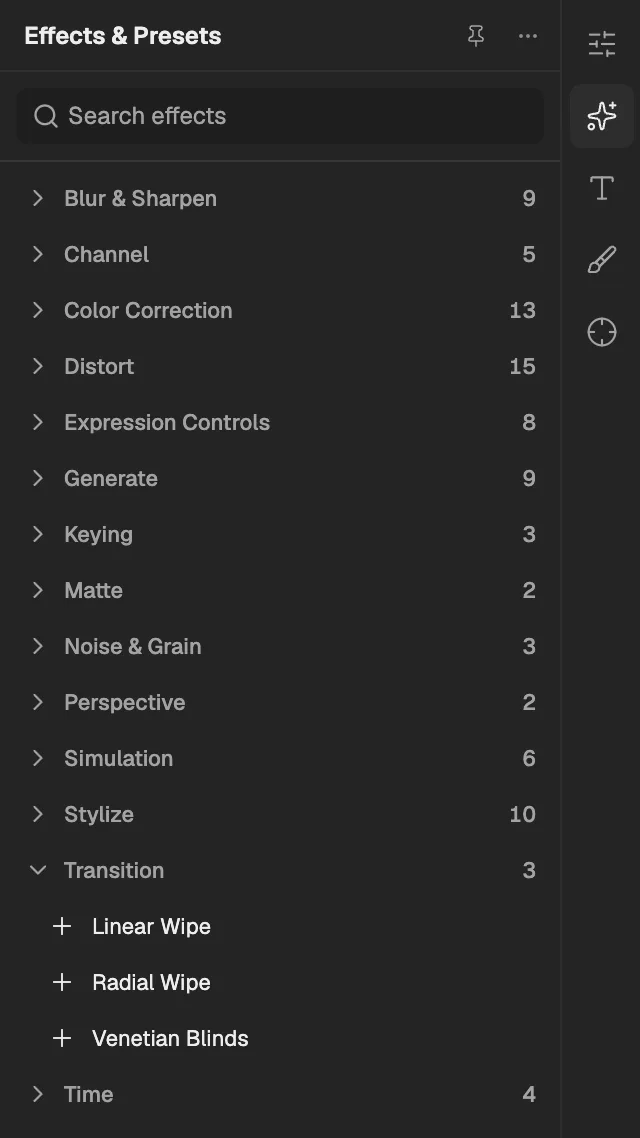
- The category, with the number of effects in it.
- Select an effect to add it to the selected layer. An effect shown greyed out reads another layer, and the composition has none it can use yet.
Linear Wipe
Hides the layer progressively behind a straight edge sweeping across at a chosen angle, with an optional soft edge.
- Works on
- Image, Video, Text, Shape, Solid, Composition, and Adjustment
| Parameter | Default | Range or choices |
|---|---|---|
| Transition Completion | 0% | 0% to 100% |
| Wipe Angle | 90° | -36,000° to 36,000° |
| Feather | 0 px | 0 px to 1,000 px |
Radial Wipe
Hides the layer progressively with a sweep around a centre point, like a clock hand, in either or both directions.
- Works on
- Image, Video, Text, Shape, Solid, Composition, and Adjustment
| Parameter | Default | Range or choices |
|---|---|---|
| Transition Completion | 0% | 0% to 100% |
| Start Angle | 0° | -36,000° to 36,000° |
| Wipe Center | 0.5, 0.5 | -10 to 10 |
| WipeNot keyframed | Clockwise | Clockwise, Counterclockwise, or Both |
| Feather | 0 px | 0 px to 1,000 px |
Venetian Blinds
Hides the layer through stripes that grow wider until it disappears, like closing window blinds.
- Works on
- Image, Video, Text, Shape, Solid, Composition, and Adjustment
| Parameter | Default | Range or choices |
|---|---|---|
| Transition Completion | 0% | 0% to 100% |
| Direction | 0° | -36,000° to 36,000° |
| Width | 10 px | 1 px to 1,000 px |
| Feather | 0 px | 0 px to 1,000 px |