Effects
Stylize
Every effect Effects & Presets lists under Stylize, generated from the editor’s effect registry: what it does, the layers it works on, and each parameter with its default and range.
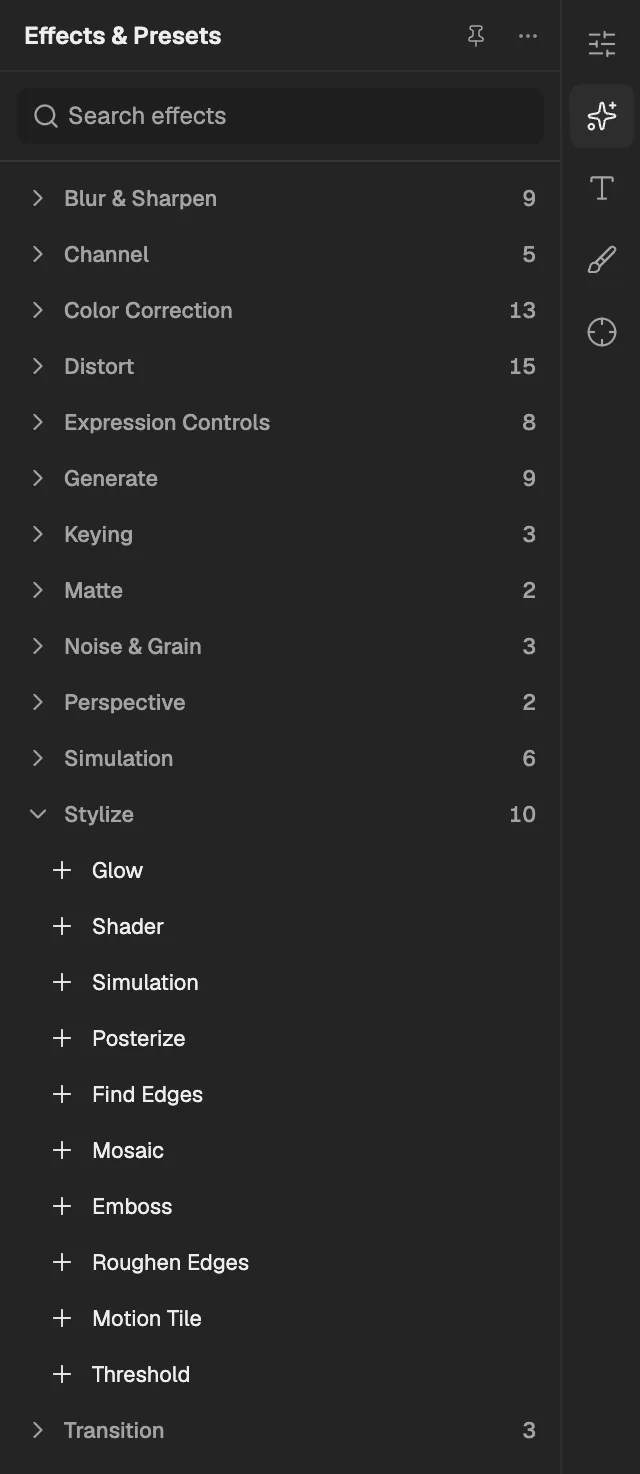
- The category, with the number of effects in it.
- Select an effect to add it to the selected layer. An effect shown greyed out reads another layer, and the composition has none it can use yet.
Glow
Finds the bright parts of the layer and spreads soft light around them, in their own colours or one chosen colour.
- Works on
- Image, Video, Text, Shape, Solid, Composition, and Adjustment
| Parameter | Default | Range or choices |
|---|---|---|
| Threshold | 0.6 | 0 to 1 |
| Radius | 10 px | 0 px to 100 px |
| Intensity | 1 | 0 to 10 |
| Glow ColorsNot keyframed | Source colors | Source colors or Single color |
| Glow Color | #FFBF33 | — |
| CompositeNot keyframed | Behind original | Behind original, Over original, or Glow only |
Shader
Runs a one-pass GPU shader written by you or the Agent, computing each pixel of the layer from its picture and parameters.
- Works on
- Image, Video, Text, Shape, Solid, Composition, and Adjustment
Its other parameters are the ones its program declares; they appear in Effect Controls when the program is set.
Simulation
Runs a program by you or the Agent that moves and draws a set of elements whose state stays on the GPU between frames.
- Works on
- Image, Video, Text, Shape, Solid, Composition, and Adjustment
Its other parameters are the ones its program declares; they appear in Effect Controls when the program is set.
Posterize
Reduces each colour channel to a few levels, turning smooth gradients into flat bands of colour.
- Works on
- Image, Video, Text, Shape, Solid, Composition, and Adjustment
| Parameter | Default | Range or choices |
|---|---|---|
| Level | 6 | 2 to 255 |
Find Edges
Turns the layer into outlines by highlighting places where colour changes sharply, like a pencil sketch.
- Works on
- Image, Video, Text, Shape, Solid, Composition, and Adjustment
| Parameter | Default | Range or choices |
|---|---|---|
| InvertNot keyframed | Off | — |
| Blend With Original | 0% | 0% to 100% |
Mosaic
Breaks the layer into a grid of solid-coloured blocks, like the pixelation used to hide a face.
- Works on
- Image, Video, Text, Shape, Solid, Composition, and Adjustment
| Parameter | Default | Range or choices |
|---|---|---|
| Horizontal Blocks | 10 | 1 to 4,000 |
| Vertical Blocks | 10 | 1 to 4,000 |
| Sharp ColorsNot keyframed | Off | — |
Emboss
Turns the layer into a grey relief, as if stamped into metal and lit from one direction.
- Works on
- Image, Video, Text, Shape, Solid, Composition, and Adjustment
| Parameter | Default | Range or choices |
|---|---|---|
| Direction | 45° | -36,000° to 36,000° |
| Relief | 1.5 px | 0 px to 10 px |
| Contrast | 100% | 0% to 1,000% |
| Blend With Original | 0% | 0% to 100% |
Roughen Edges
Makes the layer's outline ragged and eroded with fractal noise, like torn paper or rusted metal.
- Works on
- Image, Video, Text, Shape, Solid, Composition, and Adjustment
| Parameter | Default | Range or choices |
|---|---|---|
| Border | 8 px | 0 px to 500 px |
| Edge Sharpness | 1 | 0 to 10 |
| Fractal Influence | 1 | 0 to 1 |
| Size | 20 px | 1 px to 10,000 px |
| Evolution | 0° | — |
Motion Tile
Repeats the layer as tiles around a centre, optionally mirrored, and can spread them beyond the layer's own edges.
- Works on
- Image, Video, Text, Shape, Solid, Composition, and Adjustment
| Parameter | Default | Range or choices |
|---|---|---|
| Tile Center | 0.5, 0.5 | -10 to 10 |
| Tile Width | 100% | 1% to 1,000% |
| Tile Height | 100% | 1% to 1,000% |
| Output Width | 100% | 100% to 1,000% |
| Output Height | 100% | 100% to 1,000% |
| Mirror EdgesNot keyframed | Off | — |
Threshold
Turns every pixel pure black or pure white depending on whether its brightness is above a set level.
- Works on
- Image, Video, Text, Shape, Solid, Composition, and Adjustment
| Parameter | Default | Range or choices |
|---|---|---|
| Level | 128 | 0 to 255 |