Effects
Perspective
Every effect Effects & Presets lists under Perspective, generated from the editor’s effect registry: what it does, the layers it works on, and each parameter with its default and range.
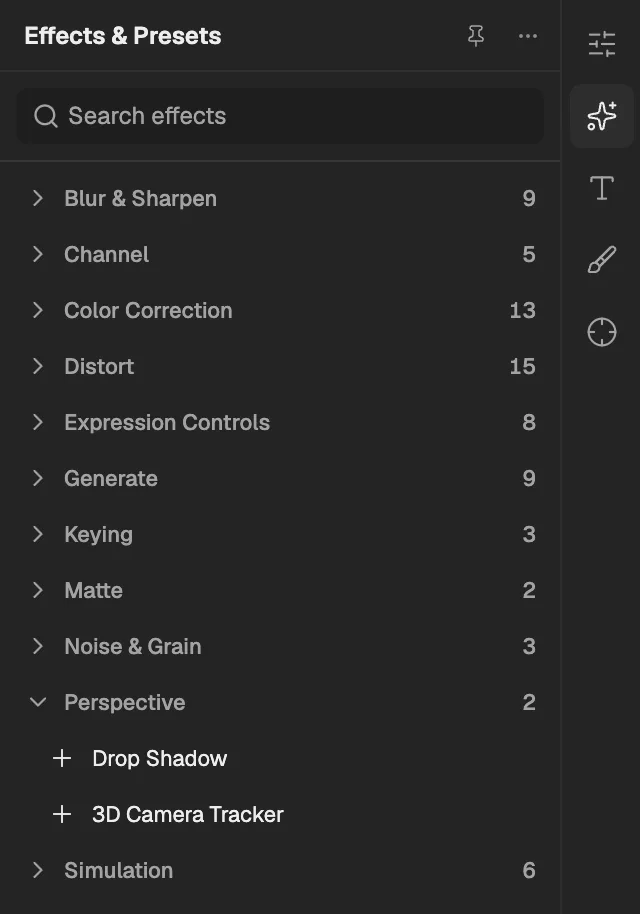
- The category, with the number of effects in it.
- Select an effect to add it to the selected layer. An effect shown greyed out reads another layer, and the composition has none it can use yet.
Drop Shadow
Draws a soft shadow of the layer's shape at a chosen direction and distance, optionally showing only the shadow.
- Works on
- Image, Video, Text, Shape, Solid, Composition, and Adjustment
| Parameter | Default | Range or choices |
|---|---|---|
| Shadow Color | #000000 | — |
| Shadow Opacity | 50% | 0% to 100% |
| Direction | 135° | -360° to 360° |
| Distance | 5 px | 0 px to 1,000 px |
| Softness | 0 px | 0 px to 100 px |
| Shadow OnlyNot keyframed | Off | — |
3D Camera Tracker
Analyses footage to work out how the real camera moved and creates a matching 3D camera; it needs a centred, unrotated 2D footage layer.
- Works on
- Image, Video, Text, Shape, Solid, Composition, and Adjustment
| Parameter | Default | Range or choices |
|---|---|---|
| Shot TypeNot keyframed | Fixed Angle of View | Fixed Angle of View, Variable Zoom, or Specify Angle of View |
| Horizontal Angle of View | 40° | 1° to 179° |
| Show Track PointsNot keyframed | 3D Solved | 2D Source or 3D Solved |
| Track Point Size | 100% | 0% to 1,000% |
| Target Size | 100% | 0% to 1,000% |