Effects
Text
Every effect Effects & Presets lists under Text, generated from the editor’s effect registry: what it does, the layers it works on, and each parameter with its default and range.
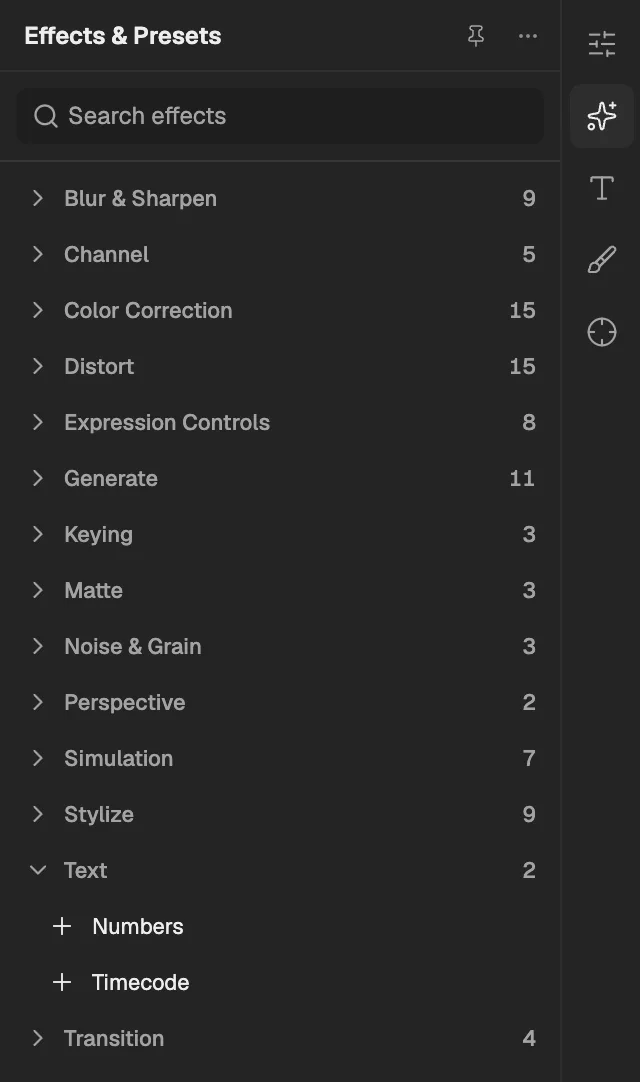
- The category, with the number of effects in it.
- Select an effect to add it to the selected layer. An effect shown greyed out reads another layer, and the composition has none it can use yet.
Numbers
Draws a number, counter, timecode, time, date or hexadecimal value as text over the layer.
- Works on
- Image, Video, Text, Shape, Solid, Composition, and Adjustment
| Parameter | Default | Range or choices |
|---|---|---|
| TypeNot keyframed | Number | Number, Number [Leading Zeros], Timecode [30], Timecode [25], Timecode [24], Time, Numerical Date, Short Date, Long Date, or Hexadecimal |
| Random ValuesNot keyframed | Off | — |
| Value/Offset/Random Max | 0 | -30,000 to 30,000 |
| Decimal Places | 2 | 0 to 10 |
| Position | 0.5, 0.5 | -10 to 10 |
| Display OptionsNot keyframed | Fill Only | Fill Only, Stroke Only, Fill Over Stroke, or Stroke Over Fill |
| Fill Color | #FF0000 | — |
| Stroke Color | #FFFFFF | — |
| Stroke Width | 2 px | 0 px to 100 px |
| Size | 36 px | 1 px to 1,024 px |
| Tracking | 0 px | -100 px to 1,000 px |
| Proportional SpacingNot keyframed | On | — |
| Composite On OriginalNot keyframed | On | — |
Timecode
Draws the layer's or the composition's time as SMPTE timecode, frame numbers or feet and frames, on an optional box.
- Works on
- Image, Video, Text, Shape, Solid, Composition, and Adjustment
| Parameter | Default | Range or choices |
|---|---|---|
| Display FormatNot keyframed | SMPTE HH:MM:SS:FF | SMPTE HH:MM:SS:FF, Frames, Feet + Frames (35mm), or Feet + Frames (16mm) |
| Time SourceNot keyframed | Layer Source | Layer Source, Composition, or Custom |
| Time Units | 30 | 1 to 999 |
| Drop FrameNot keyframed | Off | — |
| Starting Frame | 0 | — |
| Text Position | 0.5, 0.5 | -10 to 10 |
| Text Size | 48 px | 1 px to 1,024 px |
| Text Color | #FFFFFF | — |
| Show BoxNot keyframed | On | — |
| Box Color | #000000 | — |
| Opacity | 100% | 0% to 100% |
| Composite On OriginalNot keyframed | On | — |